Categories
Latest Posts



Tags
Advertising Amazon Amazon Advertising Amazon Experts Amazon Listing Optimization Amazon Marketplace Amazon News Amazon Prime Amazon Professional Sellers Summit Amazon Seller amazon sellers Amazon Seller Tips Amazon Seller Tools ASIN Brand Management Brands Buy Box Campaign Manager Conference COVID-19 downloadable Dynamic Pricing Ecommerce FBA FBM Holiday Season industry news Multi-Channel Fulfillment Optimize pay-per-click Pricing Algorithm Pricing Software Private Label Profits Repricing Repricing Software Revenue Sales Seller Seller-Fulfilled Prime Seller Performance Metrics SEO SKU Sponsored Products Ads Strategy
Get the latest insights right in your inbox
Resource | Blog
Amazon Rufus: How Sellers Can Make the Most of Amazon’s New Chatbot
SUMMARY
Unlock the full potential of Amazon’s AI-powered shopping assistant, Rufus, with expert tips on optimizing your product listings.
Rachel Horner
Rachel Horner serves as a Content Marketing Writer for Feedvisor. She has extensive experience in writing for diverse B2B brands, particularly in the tech industry, and is dedicated to fostering meaningful brand-audience connections.
What is Amazon Rufus?
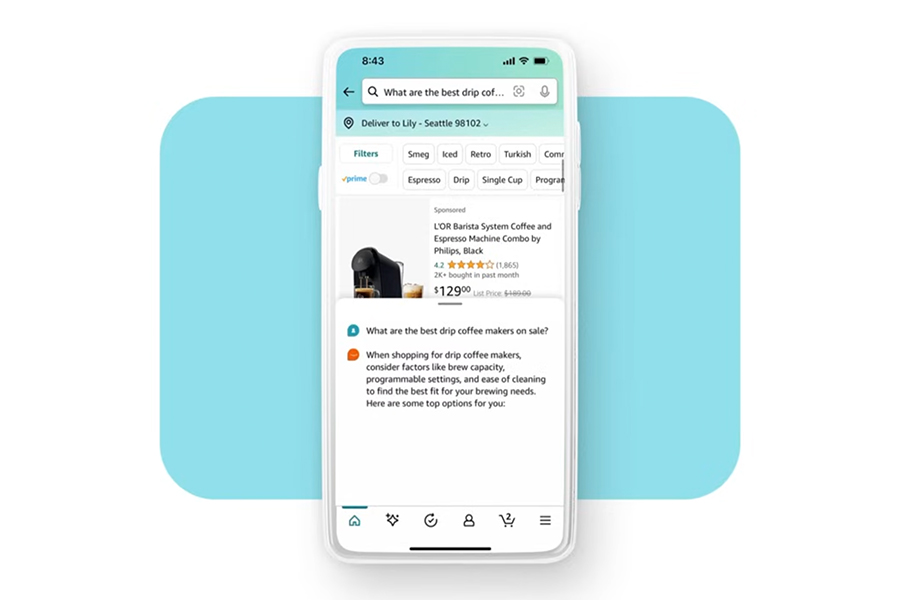
Amazon’s Rufus is a chatbot powered by generative AI. Designed to be an expert shopping assistant, Rufus is poised to seamlessly assist every customer with unparalleled expertise. Trained on a vast pool of Amazon data, including the product catalog, customer reviews, community Q&As, and information from the web, this new feature takes Amazon’s customer AI innovations to the next level, promising to elevate the overall shopping experience.
From research to checkout, Amazon Rufus can help customers across their shopping journey. It can:
- Assist with product research: Product research is more critical than ever for customers. Customers can ask Rufus questions typically reserved for search engines, such as “what to consider when buying a watch?” or “is lip oil better than lip gloss?”.
- Recommend products: Rufus can recommend products tailored to the customer’s specific question, making it easy for customers to browse more refined results.
- Answer questions about a specific product: On a product detail page, customers can ask Rufus specific questions about individual products. Rufus will pull customer reviews, community Q&As, and listing details to generate a detailed answer.
Rufus seamlessly blends into Amazon’s shopping environment, allowing customers to navigate their entire shopping journey within the platform without the need to venture outside of Amazon. Currently undergoing beta testing, Rufus is exclusively accessible to a select group of US customers through Amazon’s mobile app, with expansive availability plans in the near future.
In July, Amazon’s AI shopping assistant, Rufus, began rolling out to U.S. customers. With the latest Amazon app update, Rufus is now accessible on even more devices, including a refreshed Amazon app for Android that integrates the AI tool.
Users will now find a new Rufus icon in the bottom navigation bar of the Amazon app. Tapping it provides instant access to product or service information, making it easier to compare items quickly.
The Big Picture: What Does Rufus Mean for Amazon Sellers?
Rufus could potentially change the way consumers research and shop on Amazon — and the ads they’re accustomed to seeing. Typically, shoppers will enter multiple search queries, scrolling through both products and an array of ads.
But what happens when search queries are removed from the equation? Rufus will give consumers personalized suggestions directed toward the most relevant search result page, meaning search queries — and the ads that accompany them — will become a thing of the past.
Amazon appears to have a solution: Sponsored Ads will soon be integrated within the Rufus chat box. According to the company, Rufus will serve ads based on user input, tailoring them to the user’s needs based on their search terms and the ongoing conversation with the chatbot.
This isn’t the first time an AI chatbot has been used for advertising. Last year, Microsoft began testing ads in its AI chatbot, Copilot. While Amazon hasn’t disclosed specifics on how these ads will appear or how advertisers can target placements and view performance metrics, it seems inevitable that the Amazon ecosystem will evolve as new AI capabilities are introduced.
Optimized Product Listings: How to Make the Most of Rufus
Rufus enhances the shopping experience by fostering more interaction and a more seamless path to purchase. To make the most of this new feature, sellers should pay close attention to their product listing pages.
Optimizing your product page will make it easier for Rufus to pull the information it needs to relay to potential customers. Better still, when an Amazon product listing is optimized to its fullest potential, it can boost search ranking, improve conversions, promote customer loyalty and brand awareness, and improve the efficiency of PPC campaigns
Amazon listings are divided into five sections where sellers have complete control over the content and can optimize it for searchability and sales. These sections are the product title, images, “About this item” bullets, product description, and backend keywords.
Follow these handy tips to optimize each section, making it a breeze for Rufus to gather all the essential details about your product.
1. Product Title
The title is one of the most pivotal parts of the product detail page. Amazon measures the relevance of titles against customer searches to determine if and where the product appears in search results.
Shoppers see the product title and main image on their search results page, along with the titles of competing products. The goal is to get customers to click on your title, which takes them directly to the product detail page. Once they land on the product detail page, they are one step closer to making a purchase.
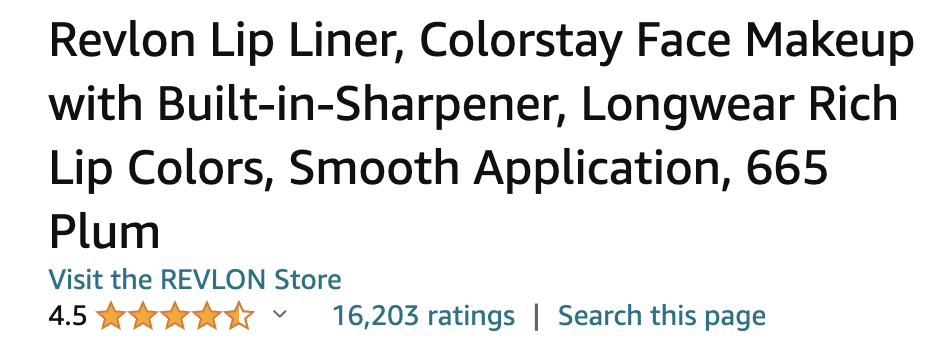
Titles should include brand name, model, and product attributes like size, quantity, and color. Include relevant keywords but make sure they appear naturally. Otherwise, it will look like “keyword stuffing,” which can turn customers away.
Follow these additional tips for optimizing the title:
- Two hundred characters is the maximum allowed for titles, so don’t waste valuable space with unnecessary words.
- Do not use all caps but do capitalize the first letter of each word.
- Include the product’s primary features and benefits
- Use numeric values instead of spelling out numbers, for example, 3 instead of three.
- Do not include phrases like “free shipping” or subjective words like “greatest, best, etc.”
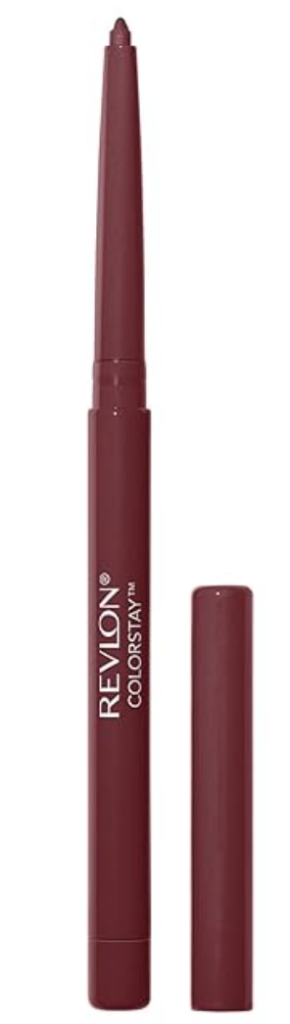
Below is an excellent example of a title that calls out the product’s features and benefits, is the ideal length, and keywords are placed organically.

Looking to extend your AI advantage beyond Amazon?
Feedvisor’s 360 Amazon optimization empowers sellers to tap into the full potential of AI and outmaneuver competitors. Try it for yourself with a free, 14-day trial.2. Product Images
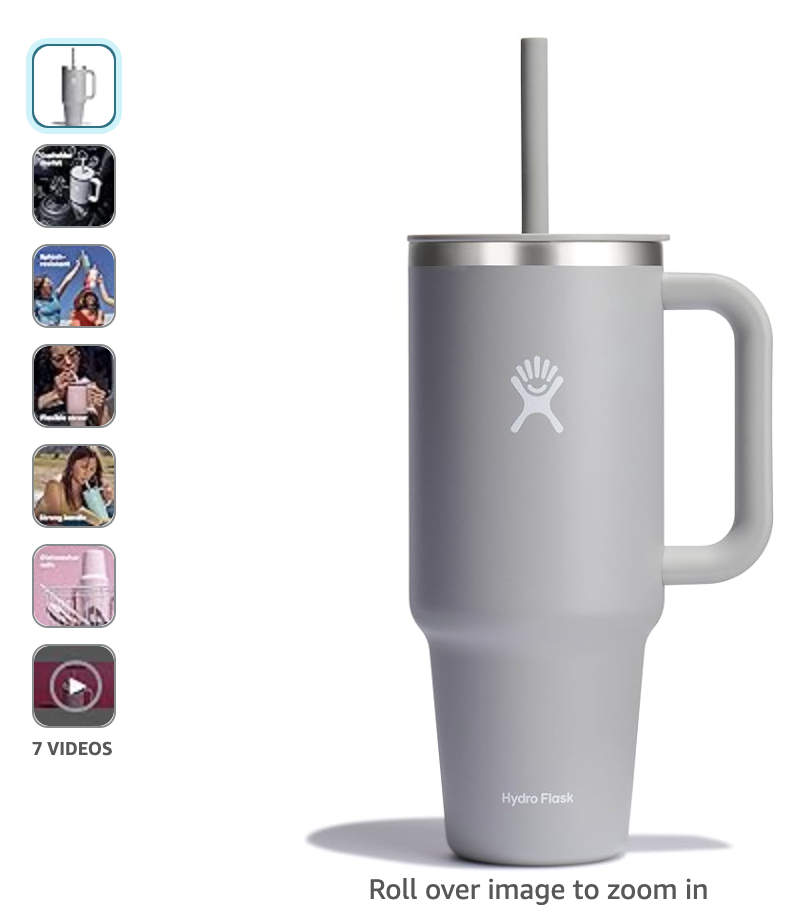
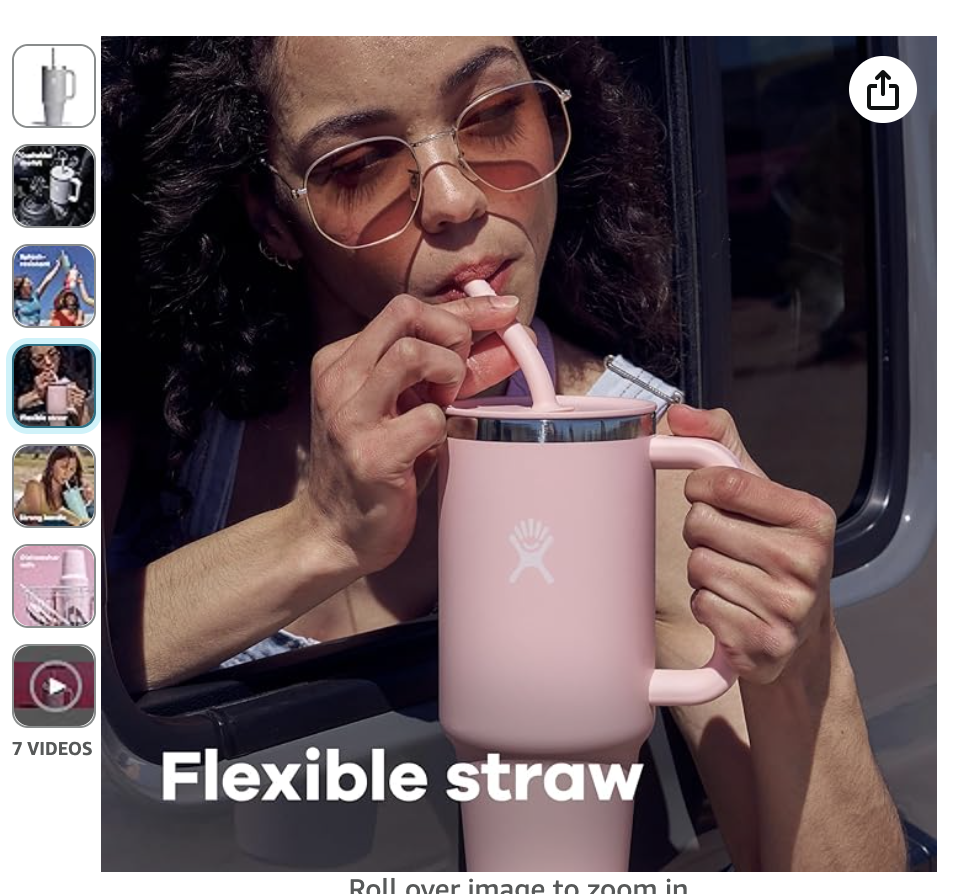
Images hold a lot of weight in a customer’s buying decision. Photos showing the product from different angles, lifestyle shots of people using the product, and infographics are the types of images that provide a better customer experience.
The product detail page displays up to 7 images, including the main product image, which shows the product with a white background. Except for the main image, all the other photos appear as clickable thumbnails. You may upload up to 9 photos, but the last two are only seen when a customer clicks on the gallery.
Follow these additional tips for optimizing product images:
- Follow Amazon’s product image requirements and guidelines here.
- Include photos that accurately display the product’s size and measurements.
- Include taglines that highlight product features.
- Use JPEG (.jpg) file format for all images.
- Do not include any logos or watermarks on images.
- Do not show any accessories that are not included with the product.
Below is an example of a main image that takes up a large portion of the shot over a white background and a lifestyle image of the same product, which shows it in use, highlights a specific feature, and depicts the product’s actual size.
3. “About this item” Bullets
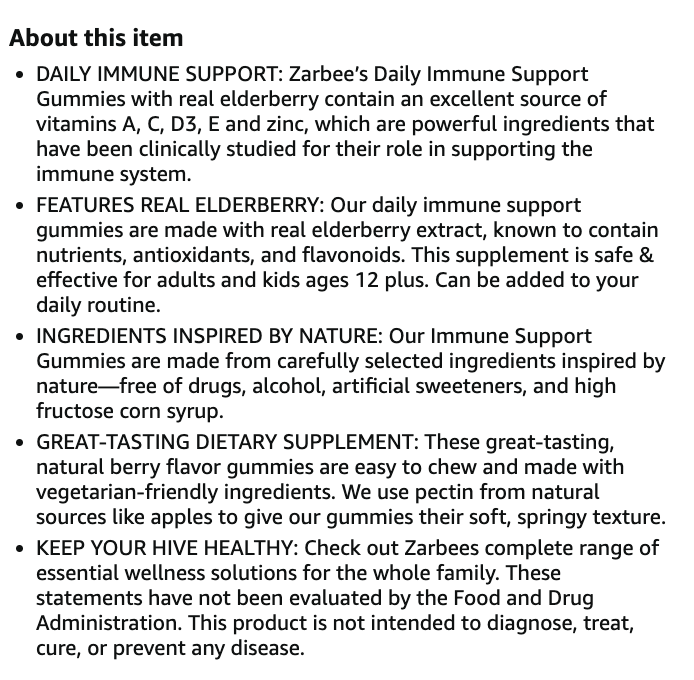
The “About this item” section is a bulleted list of short descriptions. In addition to including relevant SEO keywords, it lays out pertinent information about the product, presented in an easy-to-read, bulleted format.
Most shoppers won’t read every single word on your product listing. Part of the shopping experience on Amazon is reviewing and comparing multiple products within minutes. The bullets allow customers to scan quickly and get the details they need to make an informed purchase decision.
The most important features should be listed first, followed by what makes the product different and better than its competition. Ensure your bullets are easy to read and keep in mind what you’d like Rufus to relay to your customers. The copy should be informative but also compelling. Communicate with your brand’s voice and be creative with the wording.
Follow these additional tips for optimizing feature bullets:
- Keep each bullet under 250 characters.
- Use headers to summarize the description that follows for each bullet.
- List the product’s primary features and benefits first, with the more basic details below.
- Include a bullet about the brand.
- Do not include any shipping or promotional information.
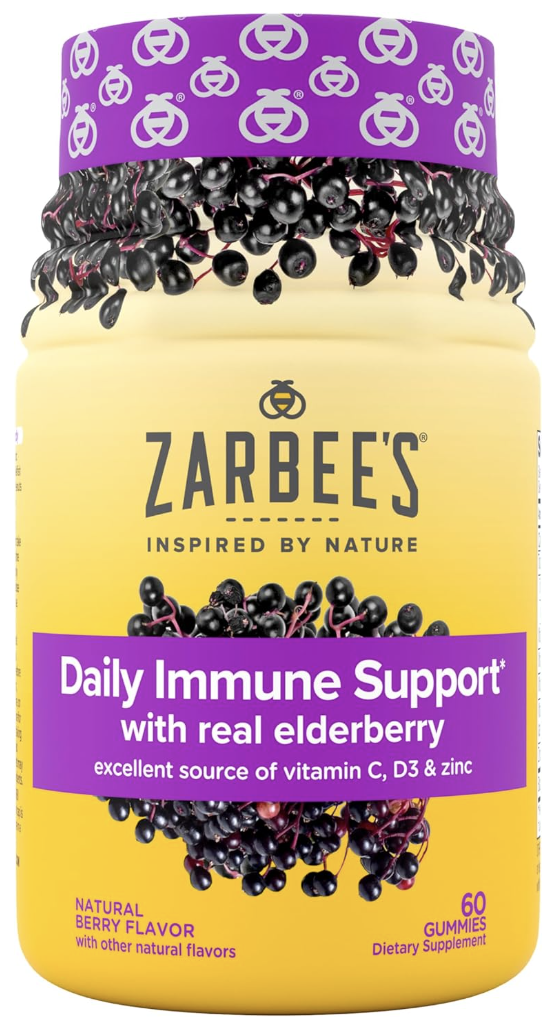
The example below contains bullets that use headers to summarize the copy that follows, and each bullet is informative, concise, and written in the brand’s voice.
4. Product Description
The product description is a block of text that appears further down on the product detail page. This is where you can elaborate on the details already provided in the bullets and include additional information like instructions on how to use the product, safety information, and more. Keeping this information up-to-date is crucial for Rufus to provide customers with the most accurate answers.
If a buyer gets to your product description, they are more likely to buy, but they are still deciding. So this is where you can convert them with additional content that is clear, concise, and reiterates all the reasons why they should hit the “Buy Now” button.
Follow these tips for optimizing the product description:
- Keep the copy under 2,000 characters.
- Provide descriptive and factual information.
- Include more keywords to enhance SEO.
- Include color, size, and compatibility information.
- Use breaks to separate paragraphs.
Bonus Tip: Build a Consistent Brand Image
Ensure that the language across all of your product listings is aligned to build a consistent brand experience. When your brand is consistently represented throughout the Amazon shopping experience, it can lead to faster brand awareness and build upon your customers’ trust and loyalty.
Final Thoughts
Amazon’s introduction of Rufus, the AI-powered shopping assistant, marks a groundbreaking step in enhancing the virtual customer shopping journey. As Rufus promises to revolutionize the Amazon shopping experience, sellers can leverage this innovation by optimizing their product listings. With Rufus undergoing beta testing and set for broader availability, now is the opportune time for sellers to embrace these optimization tips and stay ahead in the evolving landscape of e-commerce on Amazon.