

Categories
Latest Posts



Tags
Advertising Amazon Amazon Advertising Amazon Experts Amazon Listing Optimization Amazon Marketplace Amazon News Amazon Prime Amazon Professional Sellers Summit Amazon Seller amazon sellers Amazon Seller Tips Amazon Seller Tools ASIN Brand Management Brands Buy Box Campaign Manager Consumer Trends COVID-19 downloadable Dynamic Pricing Ecommerce FBA FBM Holiday Season industry news Multi-Channel Fulfillment Optimize pay-per-click Pricing Algorithm Pricing Software Private Label Profits Repricing Repricing Software Revenue Sales Seller Seller-Fulfilled Prime Seller Performance Metrics SEO SKU Sponsored Products Ads Strategy
Get the latest insights right in your inbox
FNSKU: The Barcode That Costs You $5.72 Per Mistake
Published: March 5, 2017
Last updated: March 20, 2026

Marissa Incitti
Marissa Incitti leads research and content at Feedvisor focused on Amazon, Walmart, and the broader e-commerce marketplace ecosystem. Her work covers retail media performance, pricing strategy, and how AI-driven discovery is reshaping how brands compete across marketplaces. Prior to Feedvisor, she worked in content leadership roles at a Fortune Global 500 omnichannel commerce technology company.
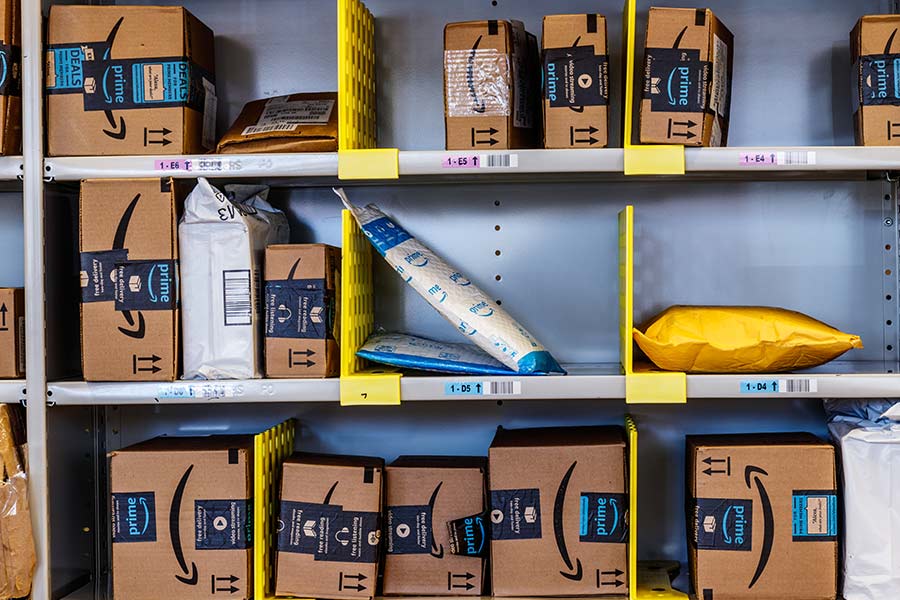
Most sellers treat FNSKU labeling as a checkbox - print, stick, ship. That was fine when Amazon would fix your labeling mistakes for a few cents. Since January 2026, those few cents became dollars. A single mislabeled standard-size unit now triggers a $0.32-$1.74 inbound defect fee. Bulky items? Up to $5.72. That is a 10-80x increase over the old rates, and Amazon no longer offers any prep service to catch your errors before they hit the warehouse floor.
The FNSKU (Fulfillment Network Stock Keeping Unit) is Amazon’s barcode for tying a physical unit to a specific seller inside FBA. Unlike an ASIN, which identifies a product in Amazon’s catalog, or a SKU, which is your internal code, the FNSKU tells Amazon’s scanners: this unit belongs to you.
Get it right and nobody notices. Get it wrong and you are paying for every unit that fails the scan.
Table of Contents
- FNSKU vs. Other Amazon Identifiers
- What Changed in 2026 - and Why It Matters
- Which Barcode Do You Need?
- The Real Cost of Labeling Errors
- How to Print FNSKU Labels
- Labeling Requirements That Trigger Defect Fees
- Common Problems and How to Avoid Them
- FAQs
FNSKU vs. Other Amazon Identifiers
| Identifier | What It Identifies | Who Assigns It | Scope |
|---|---|---|---|
| FNSKU | A specific seller’s FBA inventory | Amazon (auto-generated) | Unique to seller + product in FBA |
| ASIN | A product in Amazon’s catalog | Amazon | Shared across all sellers of that product |
| SKU | A seller’s internal product code | Seller | Unique to the seller’s inventory system |
| UPC/EAN | A product by manufacturer barcode | GS1 (manufacturer) | Global product identification |
The relationship is straightforward: when you create an FBA listing, Amazon generates an FNSKU that maps your SKU to the ASIN within its fulfillment network. ASIN = what the product is. SKU = your code for it. FNSKU = Amazon’s code for your inventory of it.
What Changed in 2026 - and Why It Matters
On March 31, 2026, Amazon ended commingled inventory. Previously, Amazon pooled identical units from different sellers and shipped whichever was closest to the buyer - FNSKU labels were optional. That is over. Every seller’s inventory is now tracked individually.
Amazon frames this as a win: brand owners no longer need to re-sticker products, saving an estimated $600 million per year collectively. That is true for brand owners. For resellers, it is the opposite - FNSKU is now mandatory on every unit you ship to Amazon, and there is no service to apply it for you.
Here is the part Amazon does not emphasize: they also discontinued all FBA prep and labeling services on January 1, 2026. Previously, you could pay Amazon to apply FNSKU labels. That option no longer exists. All labeling is now your responsibility - or your prep service’s.
Which Barcode Do You Need?
This is the decision that trips sellers up. It depends on one question: are you the brand owner with the Brand Representative role in Amazon Brand Registry?
| Your Situation | Barcode Required | FNSKU Needed? |
|---|---|---|
| Brand owner with Brand Representative role | Manufacturer barcode (UPC/EAN) | No |
| Reseller (any kind) | FNSKU | Yes - on every unit |
| Private label with Brand Representative role | Manufacturer barcode | No |
| Private label without Brand Representative role | FNSKU | Yes |
A common mistake: sellers assume any Brand Registry enrollment qualifies them for manufacturer barcodes. It does not. You need the Brand Representative selling role specifically. If you are an authorized reseller with Brand Registry access, you still need FNSKU on every unit.
If you are not sure, default to FNSKU. The cost of labeling a unit is around $0.03. The cost of an unlabeled unit hitting receiving is $0.32-$1.74.
The Real Cost of Labeling Errors
Before 2026, inbound defect fees for labeling problems were $0.02-$0.07 per unit. Annoying, but not painful. The new rates changed the math entirely.
| Item Size | Inbound Defect Fee Per Unit |
|---|---|
| Standard-size | $0.32-$1.74 |
| Bulky | Up to $5.72 |
Run the numbers on a real shipment. Say you send 2,000 standard-size units to FBA and your labeling error rate is 2% - which is not unusual for hand-labeling multi-SKU pallets. That is 40 defective units at an average fee of $1.00 each: $40.00 in avoidable penalties on a single shipment. At 5,000 units per month, that scales to $100/month or $1,200/year - from labeling alone.
For bulky items, the math is worse. Ten mislabeled bulky units at $5.72 each is $57.20. A thermal label printer costs $150-$200. It pays for itself the first time you avoid a single pallet of defects.
That said, this cost analysis assumes in-house labeling. If your volume exceeds 3,000-5,000 units per month and you handle multiple SKUs, the error rate on manual labeling tends to climb. At that point, outsourcing to a third-party prep service at $0.20-$0.50 per unit often costs less than the defect fee exposure - run the comparison against your own error rate before deciding.
How to Print FNSKU Labels
In Seller Central, go to Inventory > Manage Inventory, select your product, and click Print Item Labels. You can also generate labels during the shipment creation workflow under Manage FBA Shipments.
Each label includes the FNSKU barcode, the FNSKU number in text, an abbreviated product title, and the item condition.
A thermal label printer (Dymo, Rollo, Zebra) produces the cleanest barcodes and costs $150-$200. Inkjet or laser printers work for smaller volumes but degrade faster in humid conditions. Use 30-up labels (1” x 2-5/8”) for standard items and test-scan a sample before applying a full batch.
Labeling Requirements That Trigger Defect Fees
These are the specific violations that Amazon flags at receiving. Each one results in the per-unit inbound defect fee:
- Missing FNSKU - no label on the unit (resellers only; brand owners using manufacturer barcodes are exempt)
- Unreadable barcode - faded ink, smudged, placed over an uneven surface, or too small
- Manufacturer barcode not covered - for resellers, the FNSKU must be placed over any existing UPC/EAN to prevent scanning errors. Two scannable barcodes on one unit causes misrouting.
- Wrong FNSKU applied - creates inventory discrepancies and can result in the item landing under the wrong listing
One FNSKU per unit. The barcode must be scannable by Amazon’s warehouse equipment. The label must stay intact through storage and handling - cheap label stock that peels or fades is a common and expensive failure mode.
Your Labeling Errors Are More Expensive Than You Think
Feedvisor’s AI-powered platform tracks FBA compliance costs alongside pricing and inventory data, so you can see exactly where prep and labeling inefficiencies are eating into your margins - and fix them before they compound.
See How Feedvisor Works →Common Problems and How to Avoid Them
Wrong FNSKU on a Product
This happens when labeling multiple SKUs simultaneously. The product lands under the wrong listing - wrong product ships to the buyer, you eat a defect fee, and a negative review may follow. Keep SKUs physically separated. If you process more than 5 SKUs per batch, label one completely before opening the next.
FNSKU Changes After Listing Changes
Your FNSKU can change if you create a new FBA listing for the same product, change the item condition, or Amazon merges ASINs. Previously labeled inventory becomes stranded. Check your stranded inventory reports weekly - stranded units from ASIN merges are one of the most overlooked causes of lost inventory.
Unreadable Barcodes at Receiving
Low print quality, labels placed over seams or ridges, and label damage during shipping are the usual culprits. The fix is upstream: use thermal printing on waterproof label stock, apply labels to flat surfaces only, and scan-test 2-3 labels from each batch before applying the rest. If your unreadable rate exceeds 0.5%, the problem is your print setup, not bad luck.
FAQs
What does FNSKU stand for?
Fulfillment Network Stock Keeping Unit. It is Amazon’s barcode for identifying a specific seller’s inventory within its fulfillment centers.
Do I still need FNSKU labels after commingling ended?
If you are a reseller, yes - mandatory on every unit. Brand owners with the Brand Representative role in Brand Registry can use manufacturer barcodes instead and skip FNSKU entirely.
How is FNSKU different from ASIN?
The ASIN identifies a product - all sellers of the same product share one ASIN. The FNSKU identifies your inventory of that product. Ten sellers listing the same ASIN have ten different FNSKUs.
Can Amazon apply FNSKU labels for me?
No. Amazon discontinued all FBA prep and labeling services on January 1, 2026. You label in-house, or you use a third-party prep service. There is no Amazon option.
What happens if I send inventory without FNSKU labels?
If you are a reseller, the units are treated as non-compliant. You will pay inbound defect fees: $0.32-$1.74 per standard-size unit, up to $5.72 per bulky unit. Amazon may also reject or quarantine the shipment, which delays your inventory going live.
How much does it cost to print FNSKU labels?
A thermal label printer runs $150-$200. Thermal labels cost roughly $0.02-$0.04 each depending on volume. For a seller shipping 1,000 units per month, that is about $20-$40/month in label costs - versus $320-$1,740 in potential defect fees if those units arrived unlabeled. The math is not close.
What is the difference between FNSKU and UPC?
A UPC is a manufacturer barcode issued by GS1 that identifies the product globally. An FNSKU is Amazon’s seller-specific barcode for FBA. Brand owners with Brand Representative status can use UPC instead of FNSKU. Resellers cannot - they must use FNSKU regardless of whether the product already has a UPC.
What to Do This Week
Skip the summary. Here is what actually matters:
Confirm your barcode type. Check your Brand Registry status. If you have the Brand Representative role, switch to manufacturer barcodes and stop re-stickering. If you do not, FNSKU is mandatory - no exceptions.
Audit your labeling setup. If you are using an inkjet printer and paper labels, upgrade to a thermal printer with waterproof stock. The printer pays for itself in avoided defect fees within the first month at any reasonable volume.
Know your defect rate. Pull your inbound performance report in Seller Central. If your defect rate is above 0.5%, the problem is systemic - fix your print quality, label placement, or batch workflow before sending more inventory.
Decide in-house vs. outsource. Below 3,000 units per month, in-house labeling with a thermal printer is almost always cheaper. Above that, compare your actual error rate against a prep service quoting $0.20-$0.50 per unit. Factor in the defect fee exposure, not just the label cost.
For a deeper look at packaging requirements and how they interact with labeling, see our University guide.
Stop Losing Money to Labeling Mistakes